Telegram Ops Bot
by: Tomás Ospina.
Overview
A small Flask server that executes maintenance scripts on an Ubuntu box in response to
commands sent from a Telegram bot. The bot forwards the command over HTTP, the server
runs the matching .sh file, and the output comes back to the chat.

In production
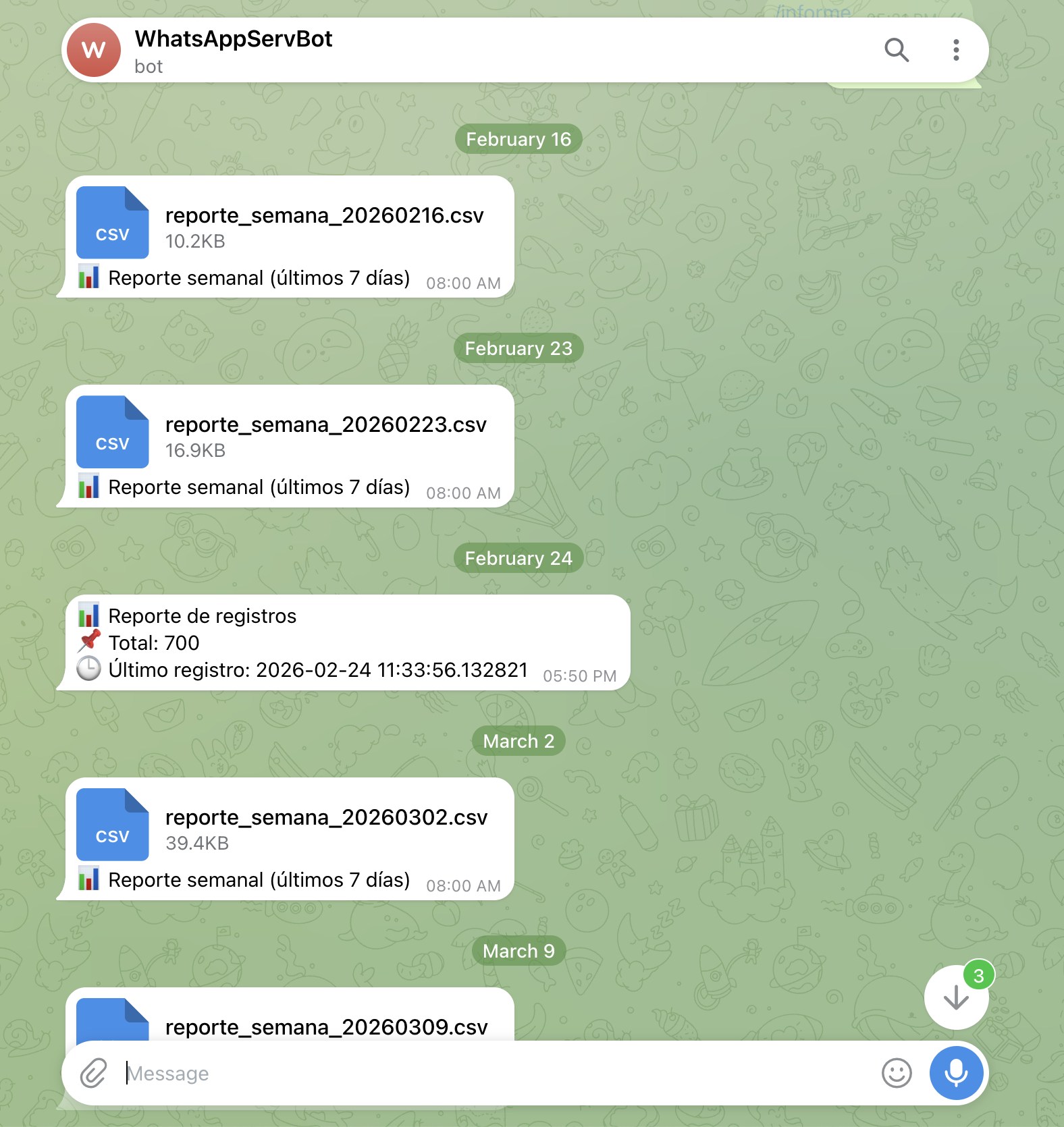
The deployment that runs today sits in front of the WhatsApp automation
platform: every Monday
at 08:00 the bot pushes a reporte_semana_YYYYMMDD.csv with the last seven days of
records, and an /informe command returns the current record count and the timestamp of
the most recent entry — on demand, from the chat.
Problem & Solution
Routine operations — pull a report, check a service, kick off a backup — do not justify finding a laptop and opening an SSH session. Exposing a shell over HTTP, on the other hand, is how servers get owned.
The compromise: the server does not accept commands, it accepts names. Only scripts that already exist on disk can be invoked, extra parameters are passed through explicitly, and everything sensitive — the bot token, the chat ID, the host and port — comes from environment variables rather than the source.
Technical Specifications
| Item | Detail |
| ———– | —————————————————– |
| Runtime | Python 3.8+ on Ubuntu/Linux |
| Framework | Flask REST API, CORS enabled for the bot |
| Execution | Named .sh scripts only, with optional parameters |
| Config | .env — TELEGRAM_BOT_TOKEN, TELEGRAM_CHAT_ID, host/port |
| Monitoring | /health endpoint |
What I Learned
The security of this design lives entirely in one decision: accepting a script name from a fixed set instead of a command string. Everything else is plumbing.
🔒 Private repository — happy to walk through the code on request.